Create AI Four-Frame Photos from One Picture
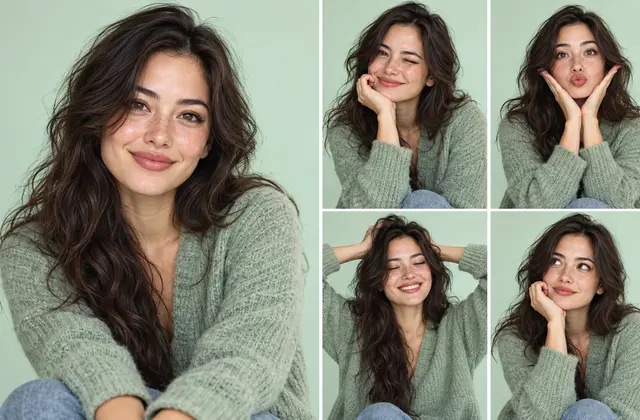
A single photo can inspire multiple expressions and poses, but facial consistency may vary between generated results.
How can you use this method?
Ask the AI to preserve the person's facial features while varying expressions and hand gestures across frames. Compare the results to check that changes in faces, clothing, lighting, and composition are intentional.
Creating Four Frames from One Photo
- Prioritize preserving the original facial features
- Vary expressions and hand gestures between frames
- Keep clothing and backgrounds consistent by default
- Compare each generated face with the original photo
- Regenerate if hands look unnatural or the frame layout is incorrect
Even with the same reference image, identity consistency can differ between AI models.
Practical Guide
Choosing a Reference Photo
Choose a clear photo with unobstructed faces. For group photos, each person should be recognizable. Use only your own photos or photos you have permission to use.
Instructions for Consistency
Specify that the number of people and their facial features must stay consistent across frames while expressions and poses change. Also state whether clothing and backgrounds should remain the same.
Reviewing the Generated Result
Faces may vary or hands may look unnatural between frames. Compare each frame with the reference and adjust the prompt before regenerating if necessary.
Frequently Asked Questions
Why Does AI Make the Same Person Look Different?
Because image generation does not always preserve every facial feature perfectly.
Create Four-Frame Photos with LIFE FRAME →