How to Create AI Four-Frame Photos
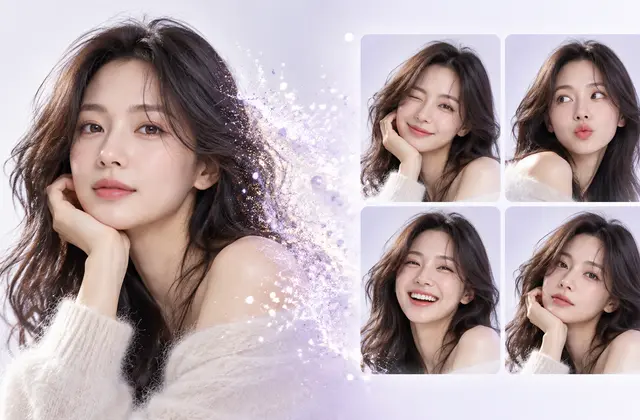
AI four-frame photos use a reference image and frame-by-frame directions to create a set of four images.
How can you use this?
Prepare a reference photo, choose the number and arrangement of frames, expressions, poses, and style, then review the output. AI may alter faces or hands, so inspect each frame.
AI Four-Frame Photo Checklist
- Prepare a reference photo you have permission to use
- Specify the number of people and facial identity requirements
- Assign different poses and expressions to each of the four frames
- Specify frame proportions and layout
- Check consistency of faces, hands, and clothing
- Check final resolution before printing
AI-generated photos can differ from real photographs. Clearly disclose that an image was AI-generated when appropriate.
How to Create AI Four-Frame Photos
Step 1. Prepare a reference photo
Use a clear photo you have permission to use. For groups, choose a photo where each person's features are distinguishable. Respect consent and privacy.
Step 2. Plan each frame
Give each frame a distinct purpose, such as greeting, playful expression, finger heart, and farewell. Vary expressions, gaze, gestures, and composition to reduce repetition.
Step 3. Write the generation prompt
Ask the AI to preserve the reference person's facial features and arrange exactly four distinct panels in one flat composite. Specify a 2×2 or 1×4 layout, margins, and visual style.
Step 4. Review the result
Check facial similarity, number of people, hands and arms, frame count, and text errors. If faces differ, refine the identity-preservation instructions and try again.
Sample Prompt to Copy and Adapt
Preserve the identities and number of people in the reference photo. Create exactly four frames with distinct expressions and gestures. Arrange them in a flat photo-strip composite with consistent panel boundaries.
AI models differ in features and output quality, so always review the generated result.
Frequently Asked Questions
Do I need a reference photo for AI four-frame photos?
To preserve a real person's features, provide a reference photo you have permission to use.
Create Four-Frame Photos with LIFE FRAME →