Family-photo lighting: three generations, outdoor portraits and celebrations
Compare broad group light, open shade and bright celebration lighting. Balance every face across the rows instead of judging only the person nearest the light.
Group lighting depends on depth as well as headcount. Begin with a broad source that reaches every face, then separate the people from the backdrop. The photographs illustrate mood; the proposed placements are starting points to adjust in your own space.
Which light suits which situation?
Placements and angles are editorial starting points informed by lighting principles, not fixed rules. Adjust source size, distance and position for the space and subject. The mood examples do not reveal measured equipment settings or exact output.
Ordered multi-generation portrait
When to use it: Use for a formal portrait with several generations.
Intended mood: Readable faces and soft shadows create a stable, composed impression.
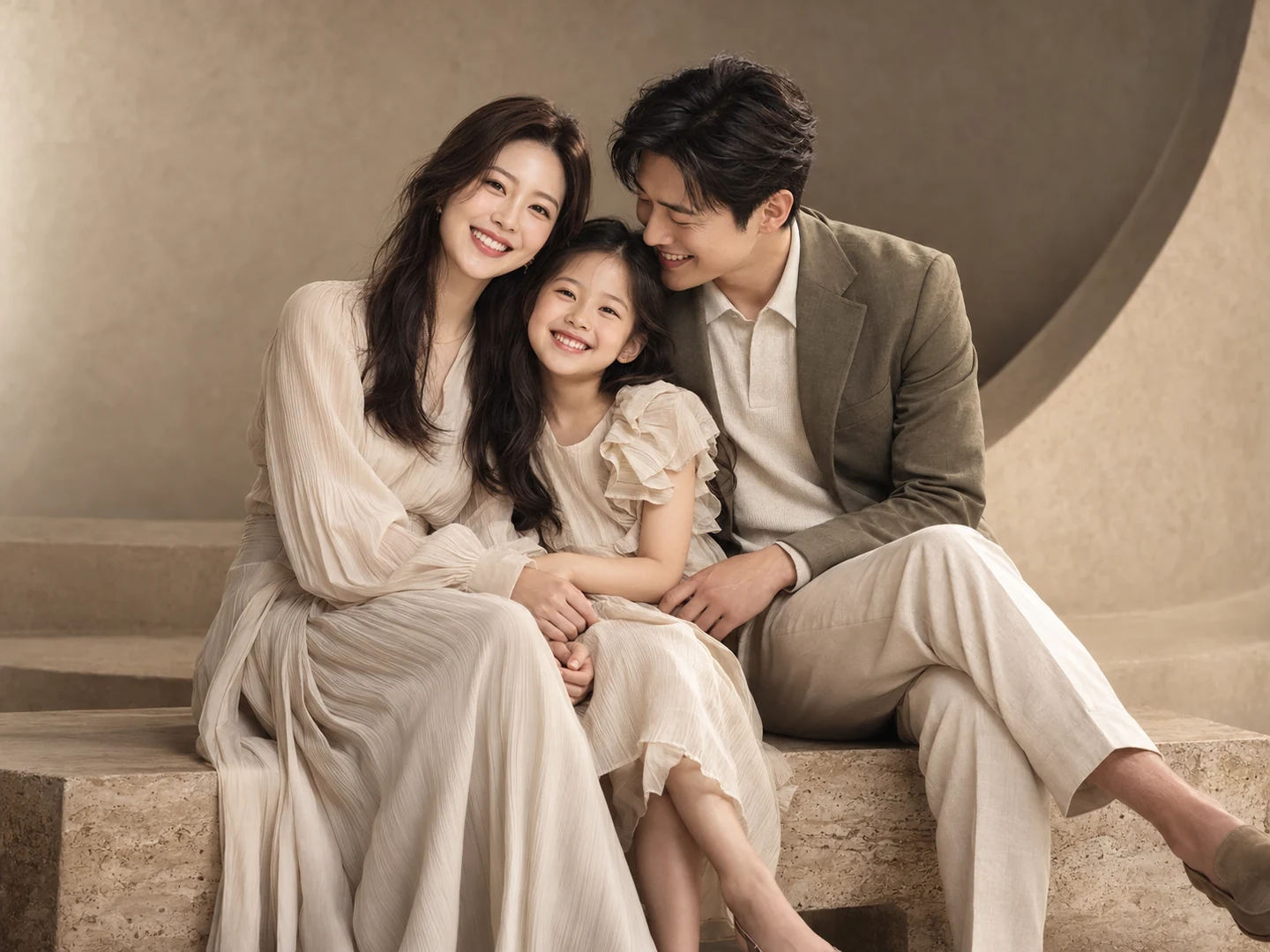
- Key position
- Use a broad source near the camera axis, roughly 20–30 degrees to one side, covering the whole group.
- Fill and grouping
- Reduce depth differences between rows and spread fill across people instead of brightening only one face.
- Distance and backdrop
- Moving a source farther away can reduce relative falloff across a group, but also makes it appear smaller; review modifier size as well.
- What to inspect
- Compare the nearest and farthest faces, then inspect hidden eyes and glasses reflections individually.
Context-specific adjustment: Arrange row depth before adjusting output for the nearest person.
Relaxed garden portrait
When to use it: Use for natural interaction in a park or garden.
Intended mood: Broad sky light and a lived-in setting feel relaxed and approachable.
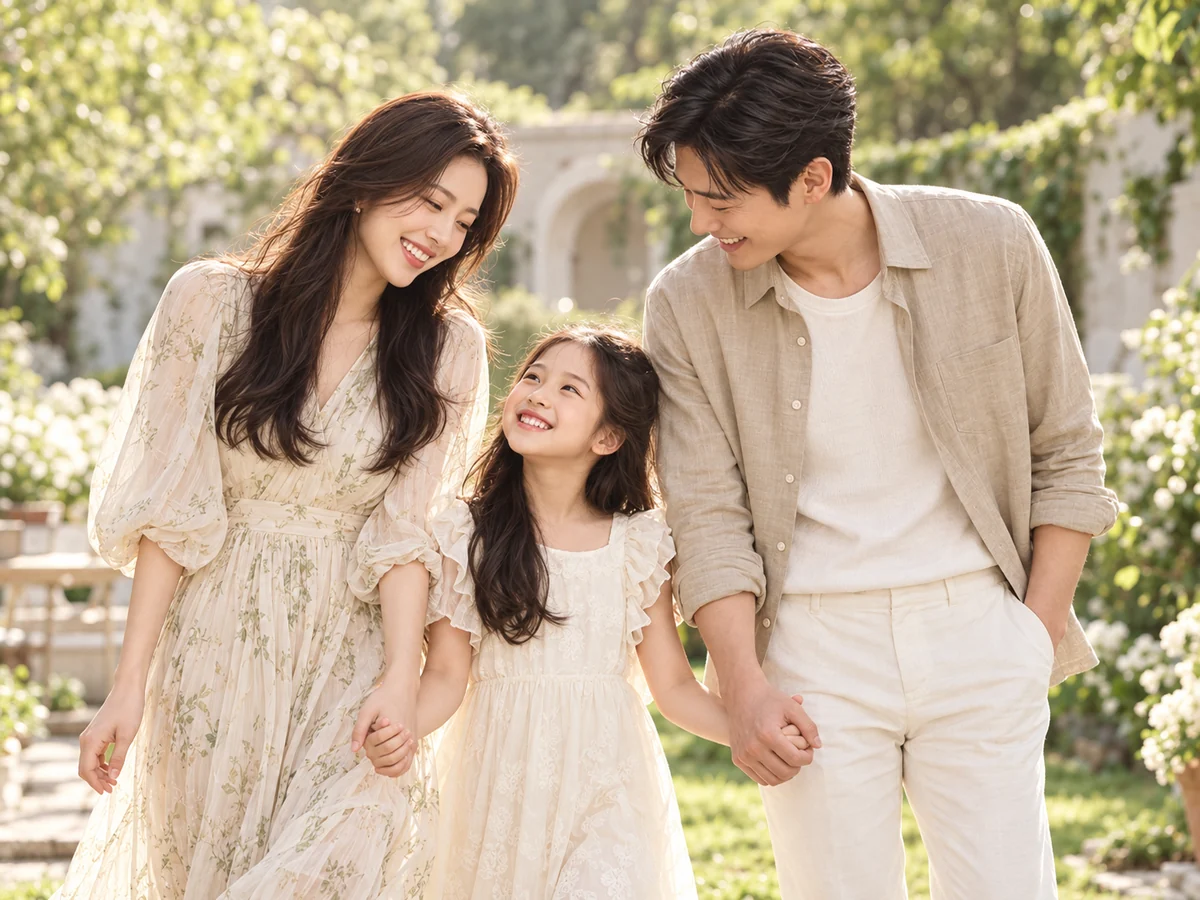
- Key position
- Face the subject toward a broad open sky in bright shade, avoiding patches of direct sun.
- Fill and grouping
- Use gentle white bounce if eyes or chins look dark, without creating glare.
- Distance and backdrop
- Compare the face with the brighter background so it does not become underexposed.
- What to inspect
- Move away from dappled leaf shadows. Overcast light and shade under trees are not interchangeable; inspect the actual face.
Context-specific adjustment: Move the group if leaf shadows break up their faces.
Bright family celebration
When to use it: Use for a cheerful family milestone or gathering.
Intended mood: A luminous backdrop and gentle facial contrast feel celebratory.
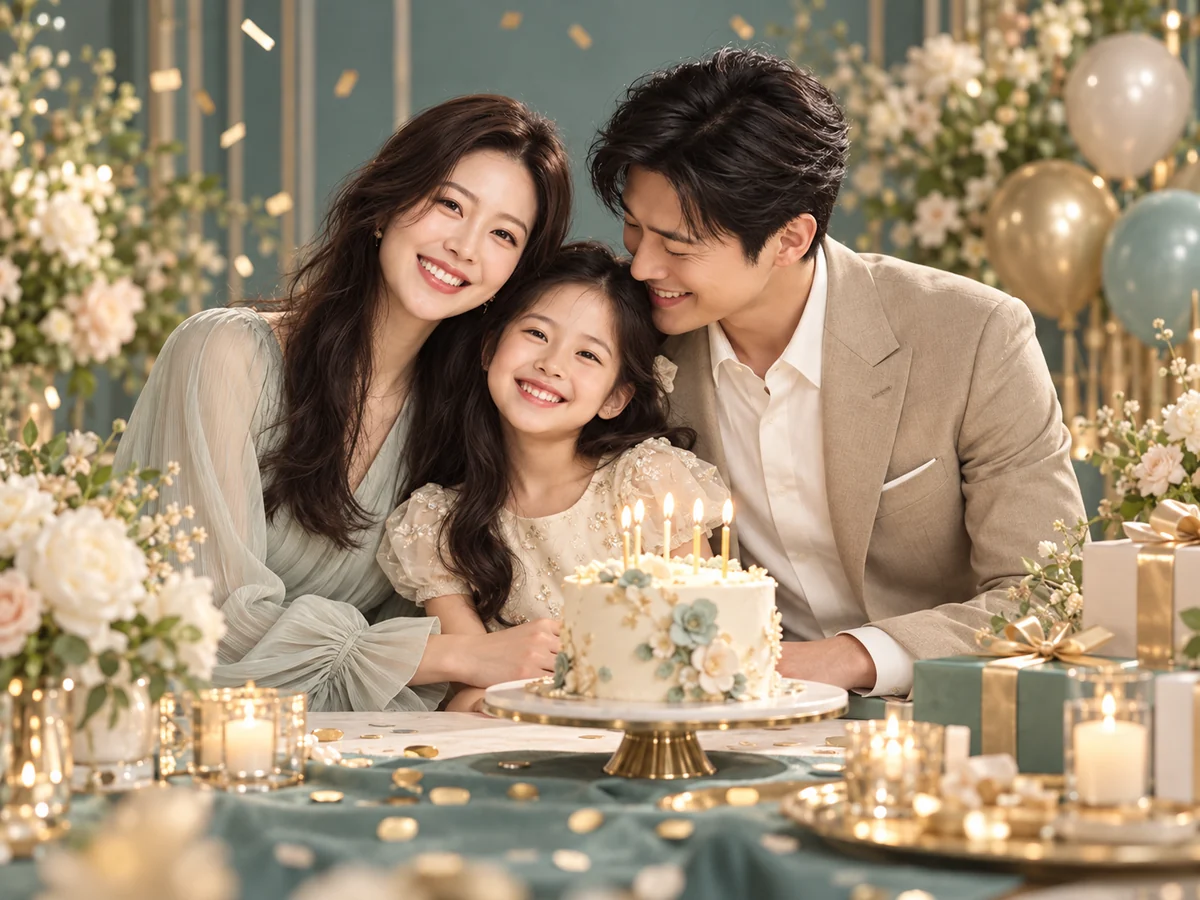
- Key position
- Use a large diffused key near the front at about 20–30 degrees to keep expressions and clothing readable.
- Fill and grouping
- Lift deep under-eye shadows with a reflector or broad subtle fill.
- Distance and backdrop
- Light a pale backdrop separately while preserving detail in white clothes and skin.
- What to inspect
- Watch for colored decorations spilling onto faces. Balance the subject and backdrop separately instead of simply increasing the key.
Context-specific adjustment: Retain white-clothing and facial detail while brightening the scene.
What to check in the result
- Compare nearest and farthest faces
- Inspect hidden eyes and glasses reflections
- Recheck exposure and softness after moving light
Lighting questions for this portrait
Will two lights automatically fix a three-generation portrait?
No. Reduce depth differences, check coverage across the whole group, then add fill where it is needed.
Does a warm family portrait need yellow light?
Warmth can come from the backdrop, expressions and gentle shadows. A welcoming atmosphere does not require yellow skin.
Were these examples actually photographed with these setups?
No. They are AI-created mood illustrations and the placements are editorial proposals. They are not measured comparisons of output, color or shadows, or documentary photo sessions of the same person.
Does choosing light in Memory Photo automatically generate an image?
Memory Photo prepares a prompt. You attach the prompt and original photographs directly to an external AI and inspect identity, subject or pet count and the actual lighting expression in the result.
Apply it in Memory Photo
Choose the photo category and subtype, then the location, light and pose. Describe the desired light direction and mood in additional direction. Attach the completed prompt and source photographs directly to your selected AI conversation.
Open the photo studio ↗