Friendship and team-photo lighting: readable faces, shared atmosphere
Compare studio group light, open shade and cinematic scenes for friends, reunions and team profiles. Change the mood without losing individual faces.
Free poses still need consistent facial illumination. Check the whole group before favoring dramatic light on one person. Preserve distinct skin tones while keeping the direction of light coherent.
Which light suits which situation?
Placements and angles are editorial starting points informed by lighting principles, not fixed rules. Adjust source size, distance and position for the space and subject. The mood examples do not reveal measured equipment settings or exact output.
Ordered team soft light
When to use it: For team profiles and formal friendship portraits.
Intended mood: Consistent and composed across the group.
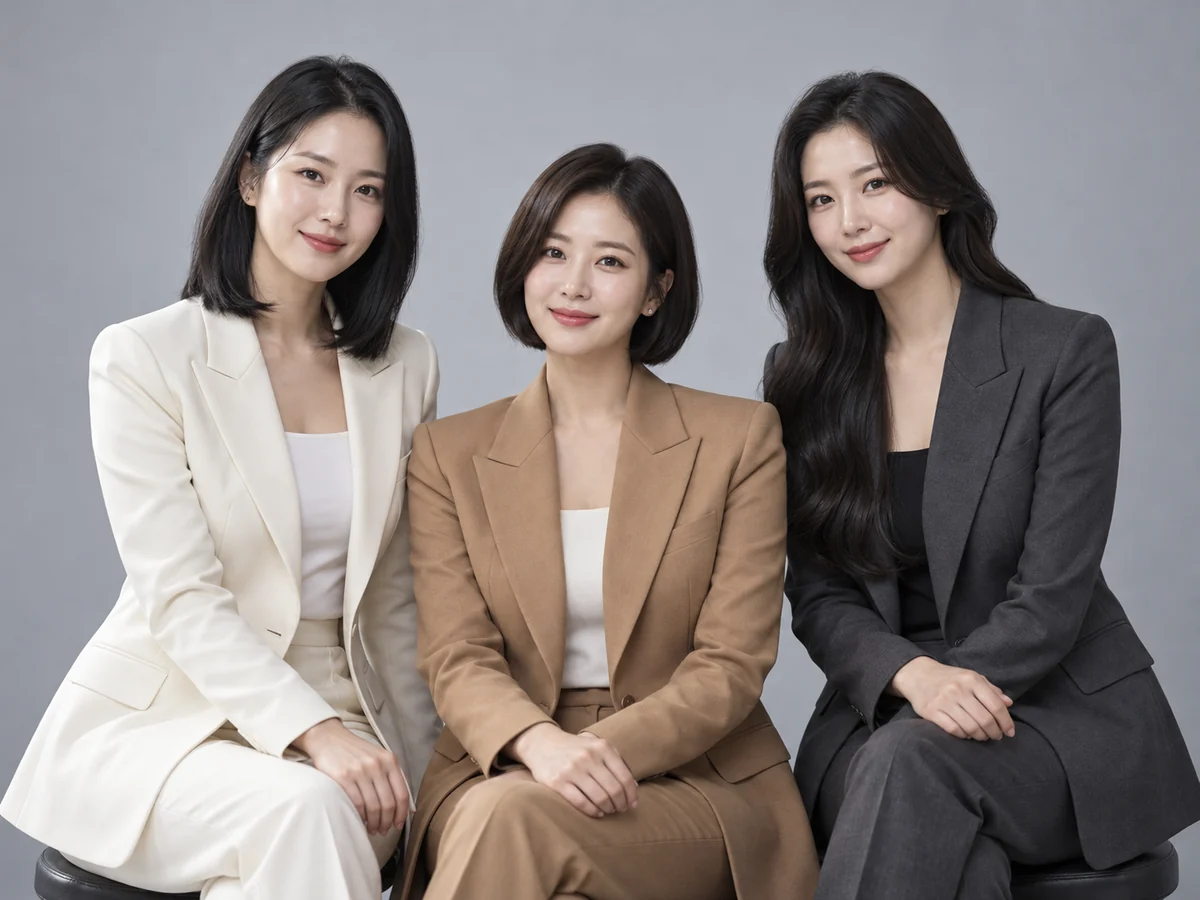
- Key position
- Use a broad source near the camera axis, roughly 20–30 degrees to one side, covering the whole group.
- Fill and grouping
- Reduce depth differences between rows and spread fill across people instead of brightening only one face.
- Distance and backdrop
- Moving a source farther away can reduce relative falloff across a group, but also makes it appear smaller; review modifier size as well.
- What to inspect
- Compare the nearest and farthest faces, then inspect hidden eyes and glasses reflections individually.
Context-specific adjustment: Check exposure at both edges, not only the center.
Natural street or park portrait
When to use it: For casual activity and interaction.
Intended mood: Relaxed, lively and everyday.
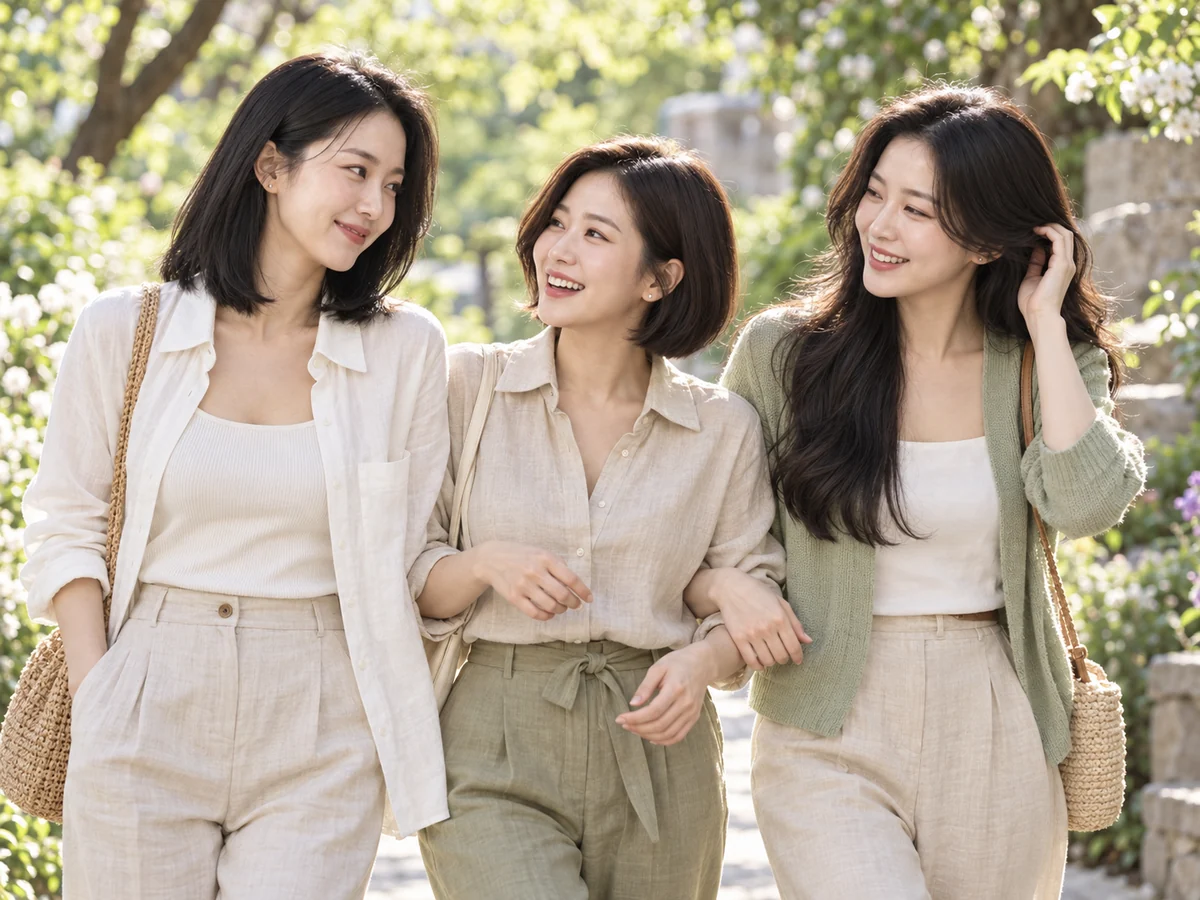
- Key position
- Face the subject toward a broad open sky in bright shade, avoiding patches of direct sun.
- Fill and grouping
- Use gentle white bounce if eyes or chins look dark, without creating glare.
- Distance and backdrop
- Compare the face with the brighter background so it does not become underexposed.
- What to inspect
- Move away from dappled leaf shadows. Overcast light and shade under trees are not interchangeable; inspect the actual face.
Context-specific adjustment: Check that one friend does not block light from another after moving.
Cinematic friendship editorial
When to use it: For evening streets or atmospheric interiors.
Intended mood: Scene contrast and background color add drama.
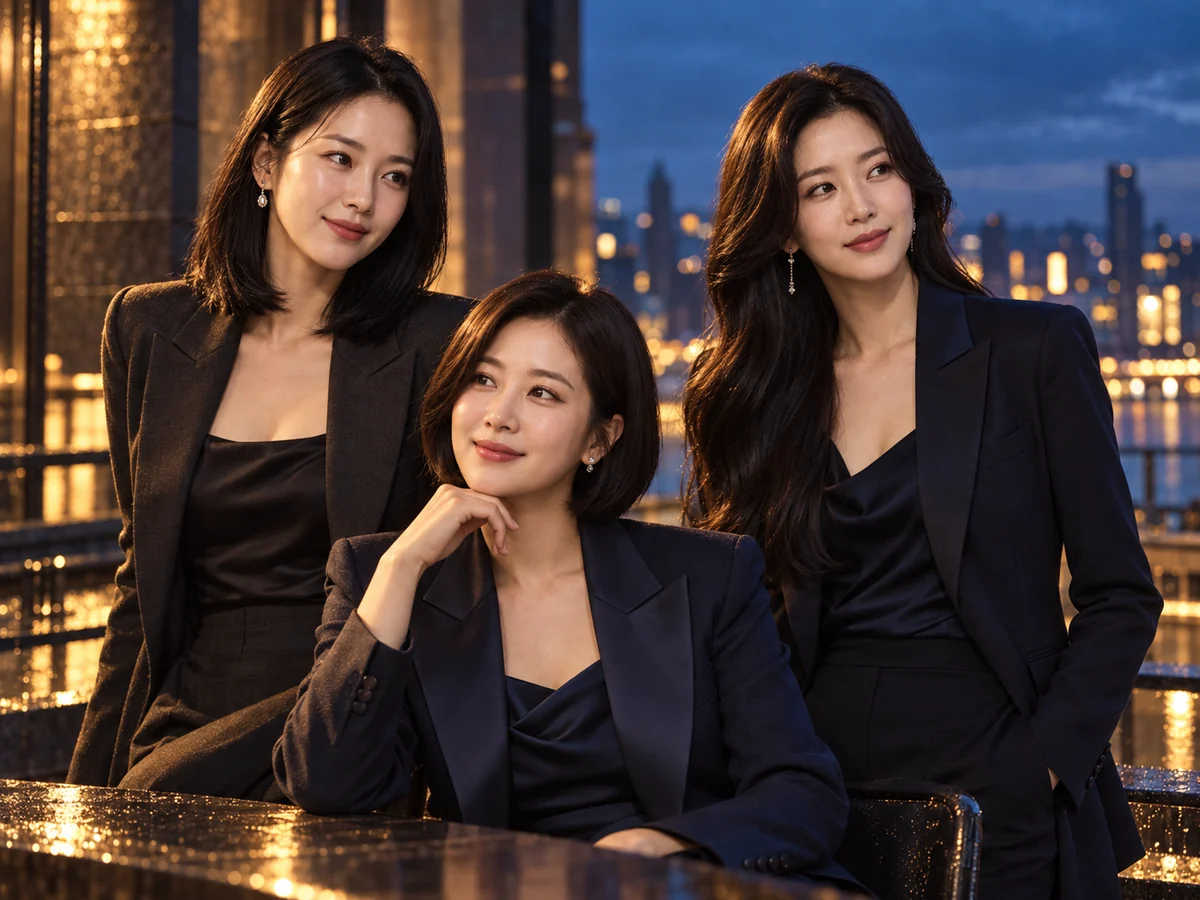
- Key position
- In an interior or evening scene, use a side key about 30–60 degrees from the camera to give the face direction.
- Fill and grouping
- Retain enough fill for recognition while allowing deliberate shadow contrast.
- Distance and backdrop
- Let blue evening light or practical lamps shape the background without strongly coloring the skin.
- What to inspect
- Check face and background exposure separately. In a real moving scene, also review blur and ambient-light ghosting.
Context-specific adjustment: Avoid lighting only a single lead while losing the rest of the group.
What to check in the result
- Inspect edge and back-row faces
- Check shadows after pose changes
- Preserve individual skin tones
Lighting questions for this portrait
Can cinematic friendship photos hide some faces?
Atmosphere can include shadows, but people should remain distinguishable. Adjust fill and background color within that boundary.
What is a useful starting setup for a team profile?
Start with broad group soft light, then check each person’s position and expression across the full width.
Were these examples actually photographed with these setups?
No. They are AI-created mood illustrations and the placements are editorial proposals. They are not measured comparisons of output, color or shadows, or documentary photo sessions of the same person.
Does choosing light in Memory Photo automatically generate an image?
Memory Photo prepares a prompt. You attach the prompt and original photographs directly to an external AI and inspect identity, subject or pet count and the actual lighting expression in the result.
Apply it in Memory Photo
Choose the photo category and subtype, then the location, light and pose. Describe the desired light direction and mood in additional direction. Attach the completed prompt and source photographs directly to your selected AI conversation.
Open the photo studio ↗