Personal-editorial lighting: fashion, natural portraits and character
Compare soft fashion light, natural outdoor mood and directional character lighting. Express individuality through light while preserving facial identity and proportions.
Choose the expression before the equipment: show garment shape, an approachable personality or deliberate contrast. A personal editorial need not imply a profession or event. A strong mood is separate from changing facial structure.
Which light suits which situation?
Placements and angles are editorial starting points informed by lighting principles, not fixed rules. Adjust source size, distance and position for the space and subject. The mood examples do not reveal measured equipment settings or exact output.
Soft fashion light
When to use it: For balancing garment shape and expression.
Intended mood: Clean, polished fashion-editorial character.
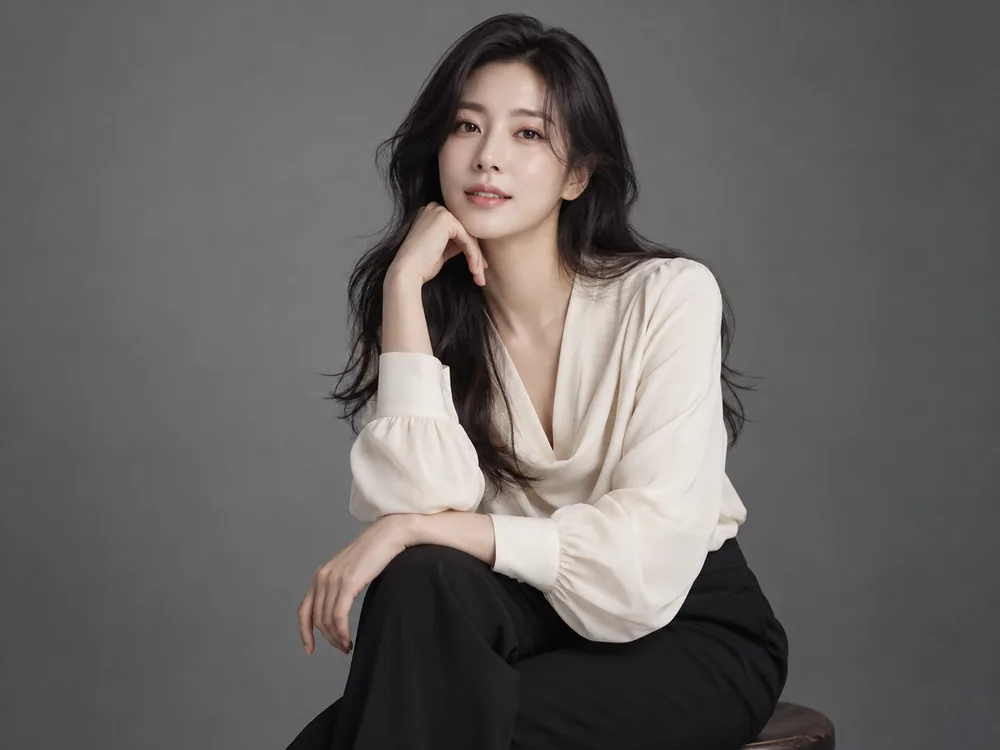
- Key position
- Start with a large softbox or diffused key about 30–45 degrees to one side of the camera and slightly above eye level.
- Fill and grouping
- Add a white reflector on the shadow side, retaining enough shadow to describe form.
- Distance and backdrop
- Adjust the key and backdrop brightness separately so the subject remains distinct.
- What to inspect
- Check catchlights and nose shadows before increasing power. Reposition the source when glasses obscure the eyes.
Context-specific adjustment: Retain fabric and skin texture rather than flattening everything.
Natural personal editorial
When to use it: For an approachable, unforced portrayal.
Intended mood: Open space and broad natural light feel relaxed and free.
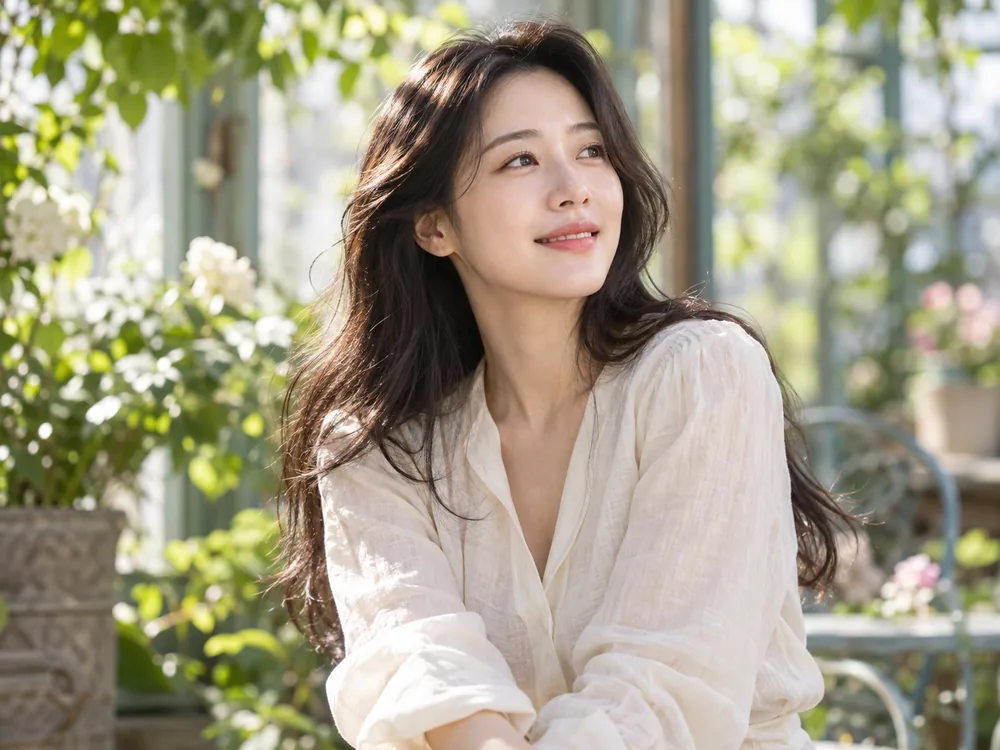
- Key position
- Face the subject toward a broad open sky in bright shade, avoiding patches of direct sun.
- Fill and grouping
- Use gentle white bounce if eyes or chins look dark, without creating glare.
- Distance and backdrop
- Compare the face with the brighter background so it does not become underexposed.
- What to inspect
- Move away from dappled leaf shadows. Overcast light and shade under trees are not interchangeable; inspect the actual face.
Context-specific adjustment: Check background color and dappled light around the face.
Directional art portrait
When to use it: When the direction and shape of light are the main expression.
Intended mood: Restrained backgrounds and deliberate shadows add focus.
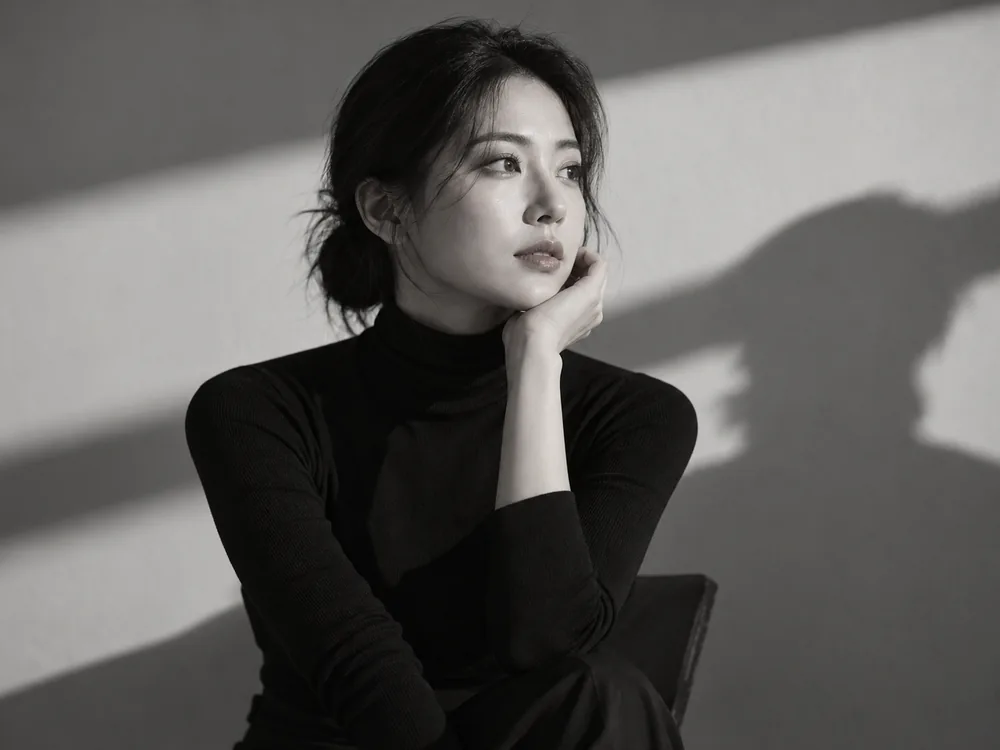
- Key position
- Start with a directional key about 45 degrees from the camera and slightly above the eyes.
- Fill and grouping
- Reduce fill or move the reflector away to retain shape, without losing the eyes and mouth.
- Distance and backdrop
- Against a darker backdrop, separate only the hair or shoulder edge that needs it.
- What to inspect
- Judge the actual face and glasses reflections rather than forcing a named Rembrandt pattern or a fixed angle onto every subject.
Context-specific adjustment: Adjust light around the actual eyes, nose and jaw rather than reshaping identity.
What to check in the result
- Keep identity and real proportions
- Choose what the light should emphasize
- Inspect hair and shoulders against dark backdrops
Lighting questions for this portrait
Must an art portrait use harsh shadows?
No. Soft and natural light can be expressive. Choose according to the intended mood, clothing and setting.
Can an art-portrait selection change the face?
It should not. Preserve reference identity, age and proportions while using composition, expression and lighting for individuality.
Were these examples actually photographed with these setups?
No. They are AI-created mood illustrations and the placements are editorial proposals. They are not measured comparisons of output, color or shadows, or documentary photo sessions of the same person.
Does choosing light in Memory Photo automatically generate an image?
Memory Photo prepares a prompt. You attach the prompt and original photographs directly to an external AI and inspect identity, subject or pet count and the actual lighting expression in the result.
Apply it in Memory Photo
Choose the photo category and subtype, then the location, light and pose. Describe the desired light direction and mood in additional direction. Attach the completed prompt and source photographs directly to your selected AI conversation.
Open the photo studio ↗